Archive
CPU/GPU rasterizer
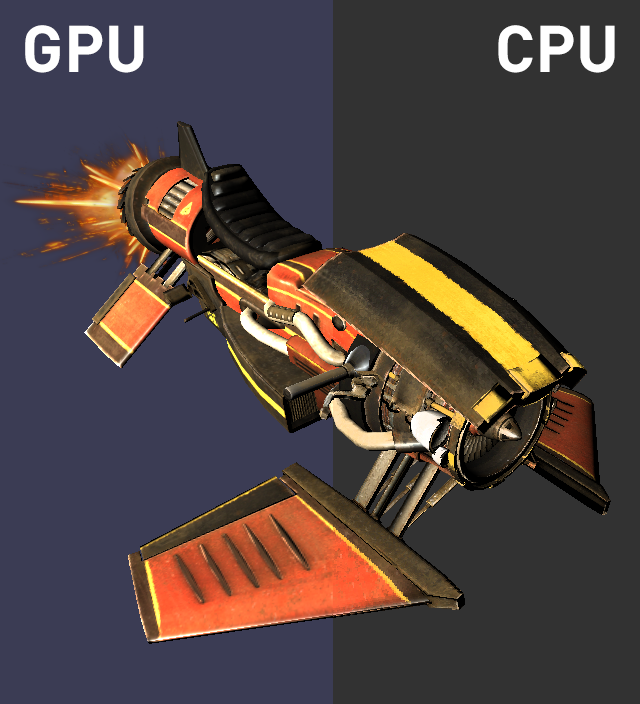
Switch between rendering a scene on the CPU and on the GPU at runtime, with both renderers drawing the same scene into the same window.
- Tech
- C++, DirectX 11 Effects

Features
- Runtime render switch. Toggle between CPU and GPU rendering on the fly.
- Geometry. Triangle mesh rasterizing, with front-face, back-face or no culling, plus frustum culling.
- Lighting. A directional light, with Phong specular from the glossiness and specular maps.
- Textures. Diffuse, normal, glossiness and specular maps, each of which can be toggled.
- Sampling. Cycle between point, linear and anisotropic. Anisotropic is GPU only.
- Viewing. Camera control, scene cycling and a turntable that rotates the model.
Two renderers, one scene
The GPU path renders through DirectX 11 and the Effects framework, and the CPU path writes pixels straight into an SDL surface. Since DirectX is left-handed and the software renderer is right-handed, switching also flips every camera, so the view stays the same.
The CPU rasterizer follows the same stages as the GPU pipeline:
- Projection. Vertices are transformed to screen space, and triangles outside the view frustum are skipped.
- Bounding boxes. Each triangle only tests the pixels inside its screen-space bounding box.
- Coverage and depth. Edge tests decide which pixels a triangle covers, and a depth buffer keeps the closest one.
- Perspective-correct interpolation. UVs, normals, tangents and view direction are interpolated with barycentric weights divided by w, so textures don't warp at an angle.
- Shading. Normal maps are applied in tangent space, the same way as the GPU shader.
Triangle lists and triangle strips are both supported, with degenerate strip triangles skipped.